Settle a House Account
Updated
Find the recorded house account, verify the details with the customer, collect payment, and clear the outstanding record.
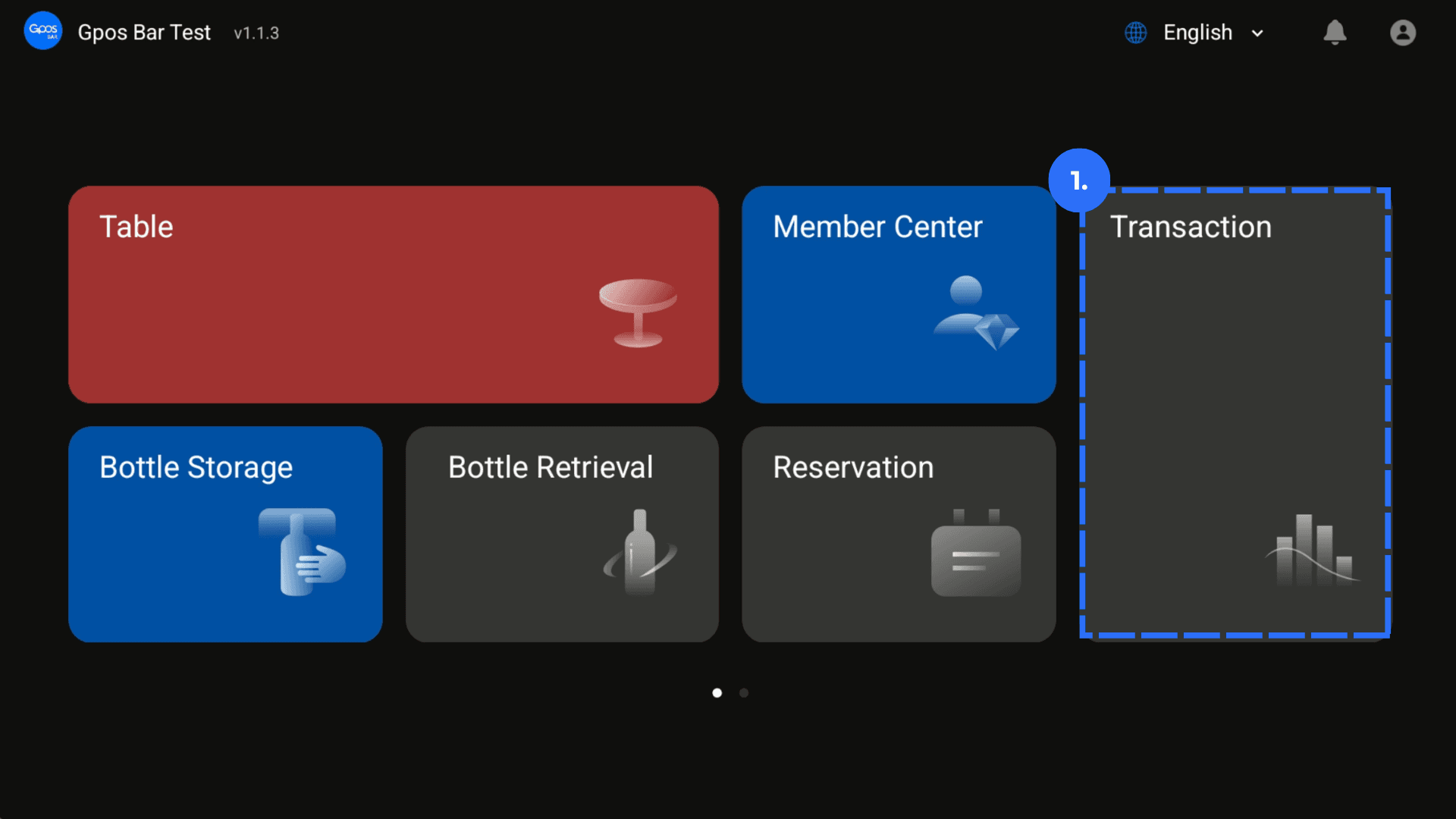
1. Open the Transaction page on the desktop terminal's homepage.
2. Find Account List and select the required house-account record. Click Clearing Accounts.
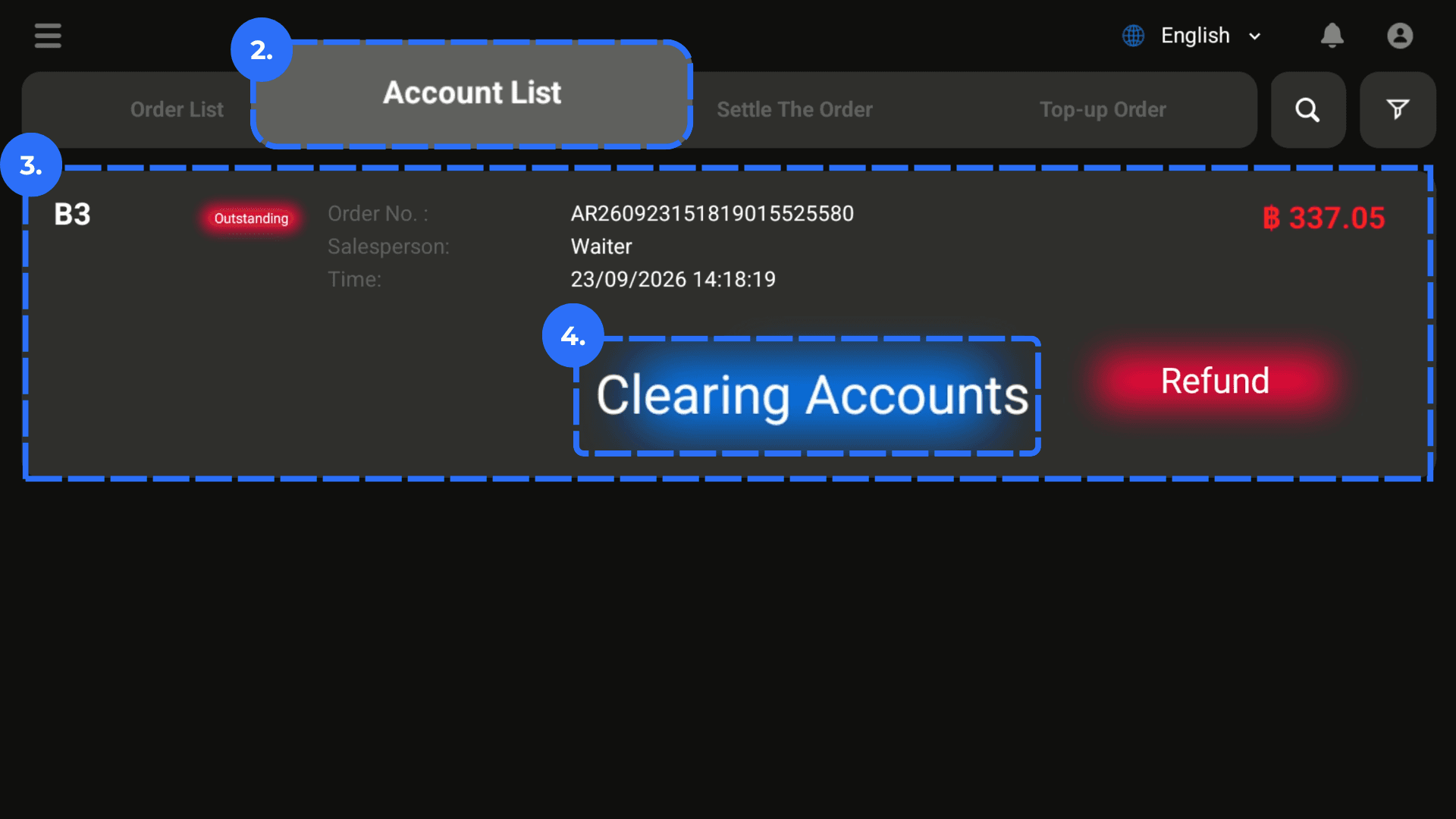
3. Confirm the House Account Information with the customer.
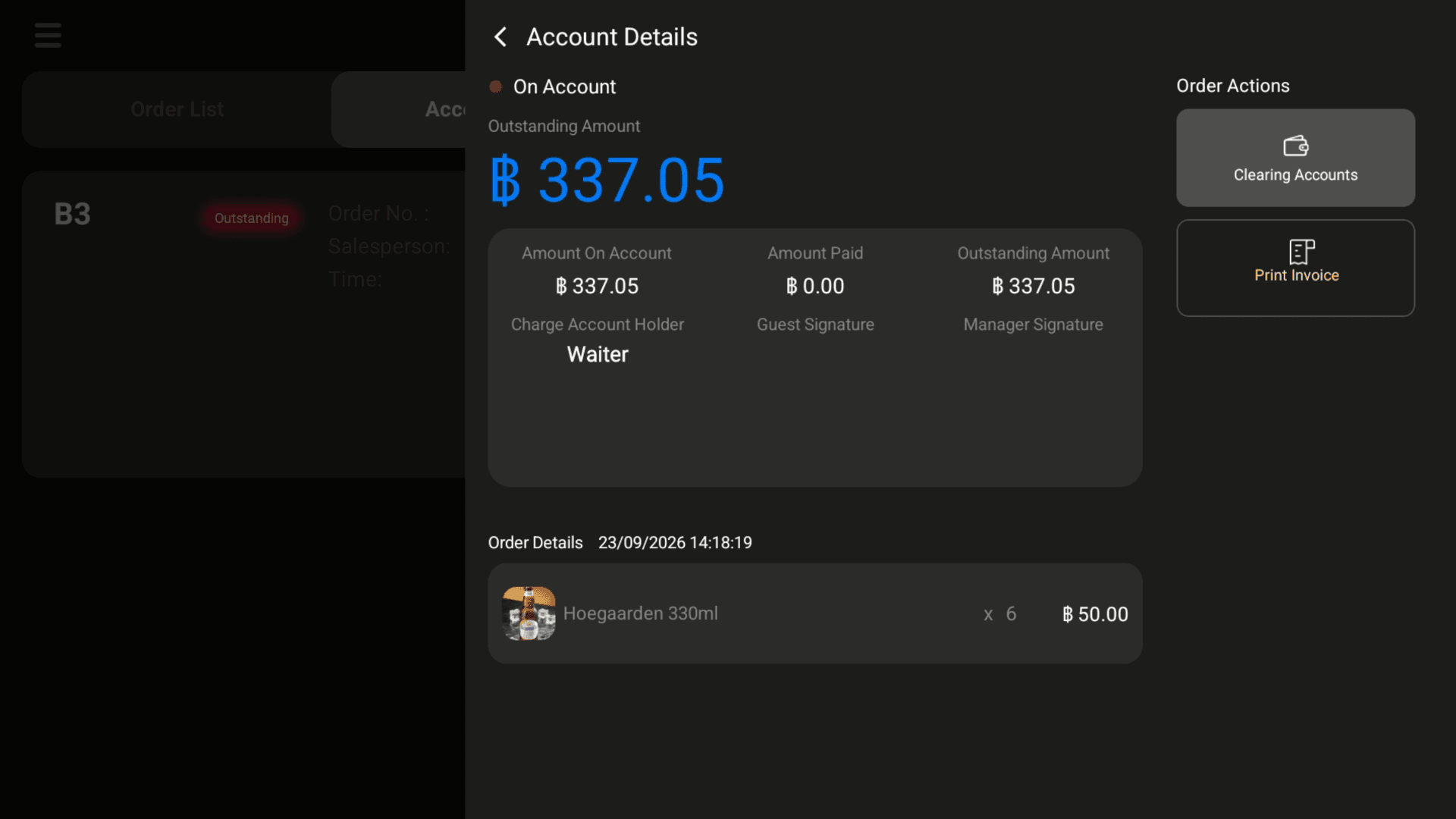
4. Click Clearing Accounts again.
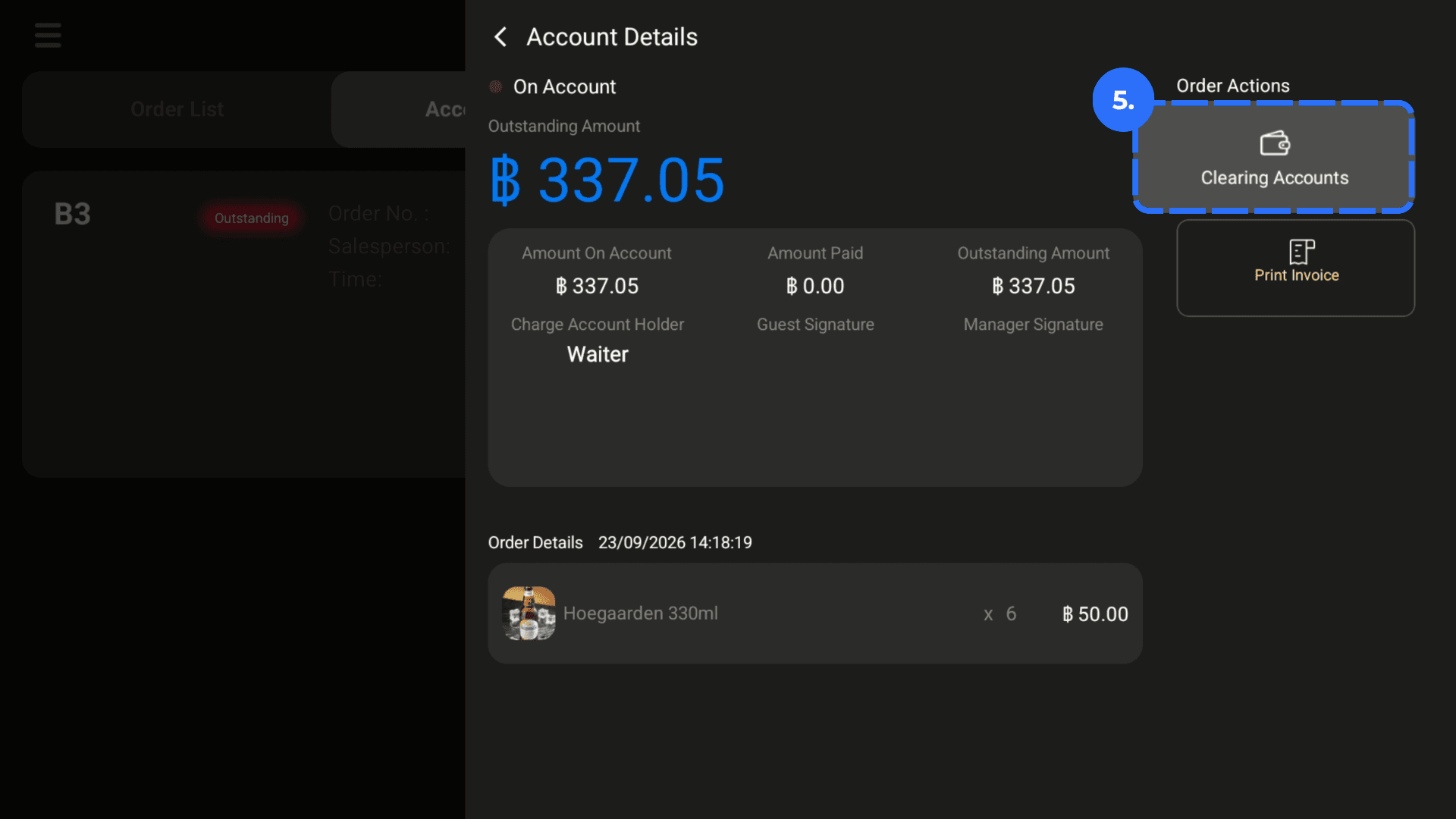
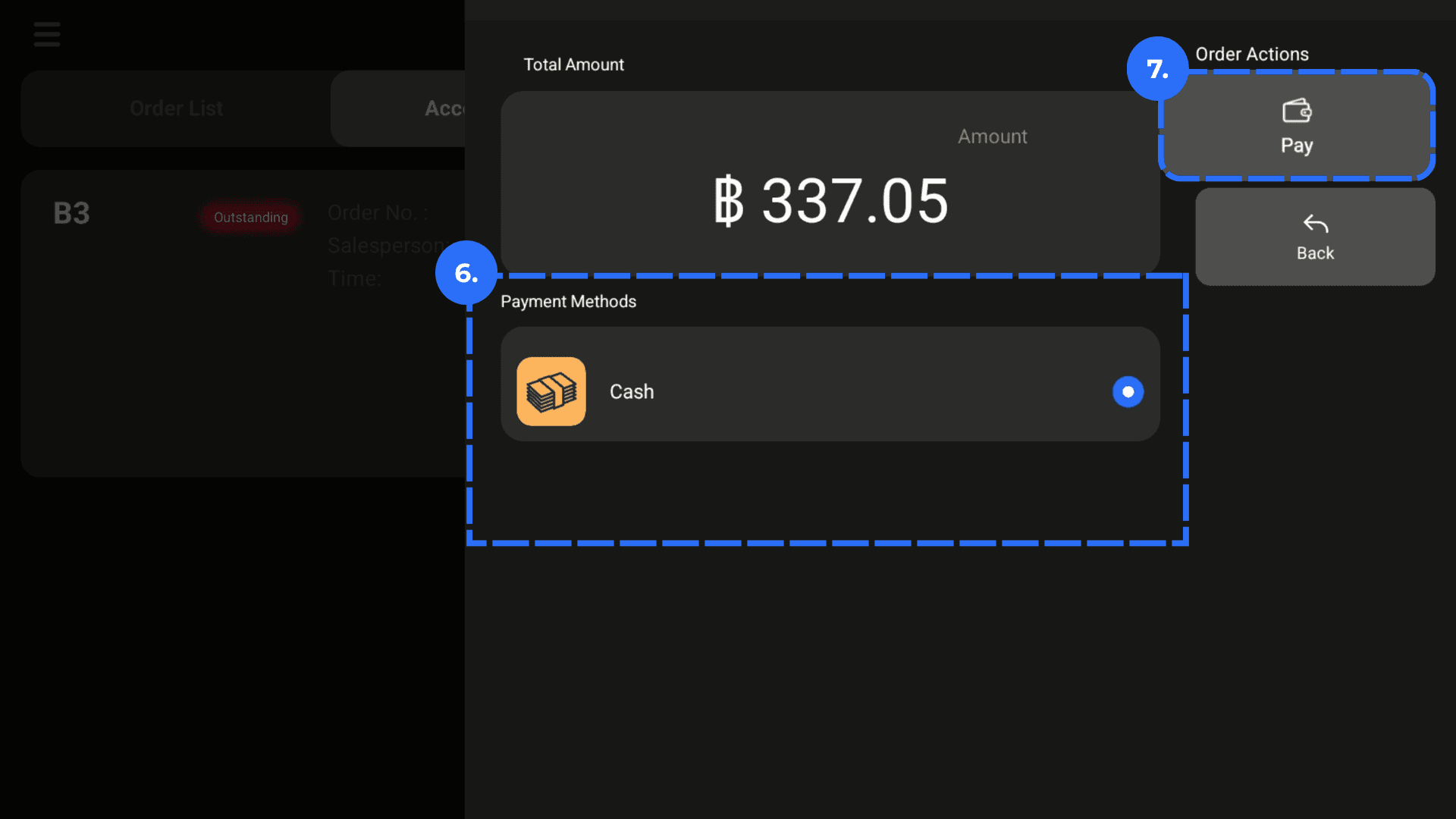
5. Select the customer's payment method. Complete the paymen