Pay with a Membership Card
Updated
Log the customer into their member account, choose the correct membership card, and use its stored value to complete payment.
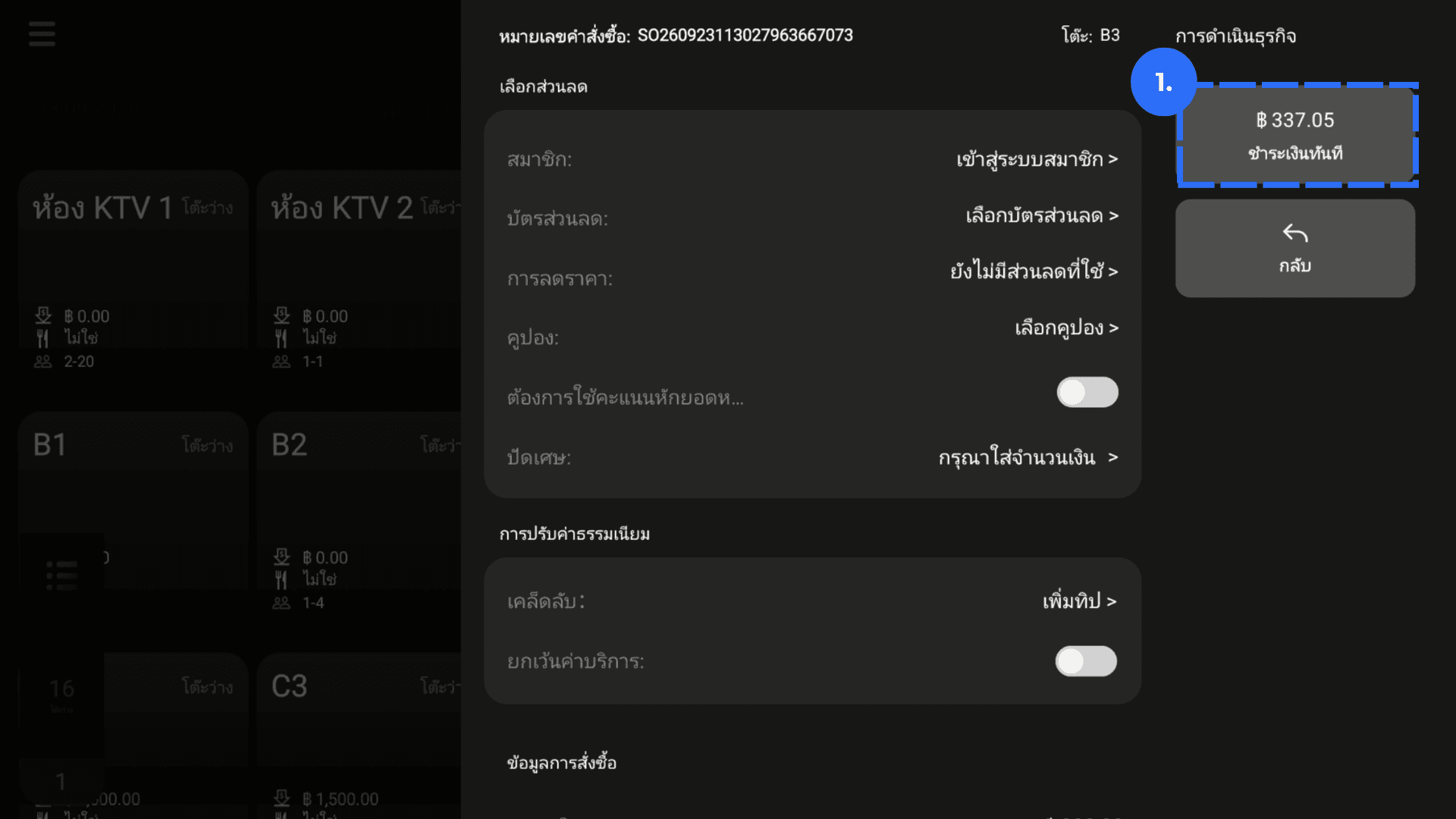
1. On Payment Details, click Amount Due
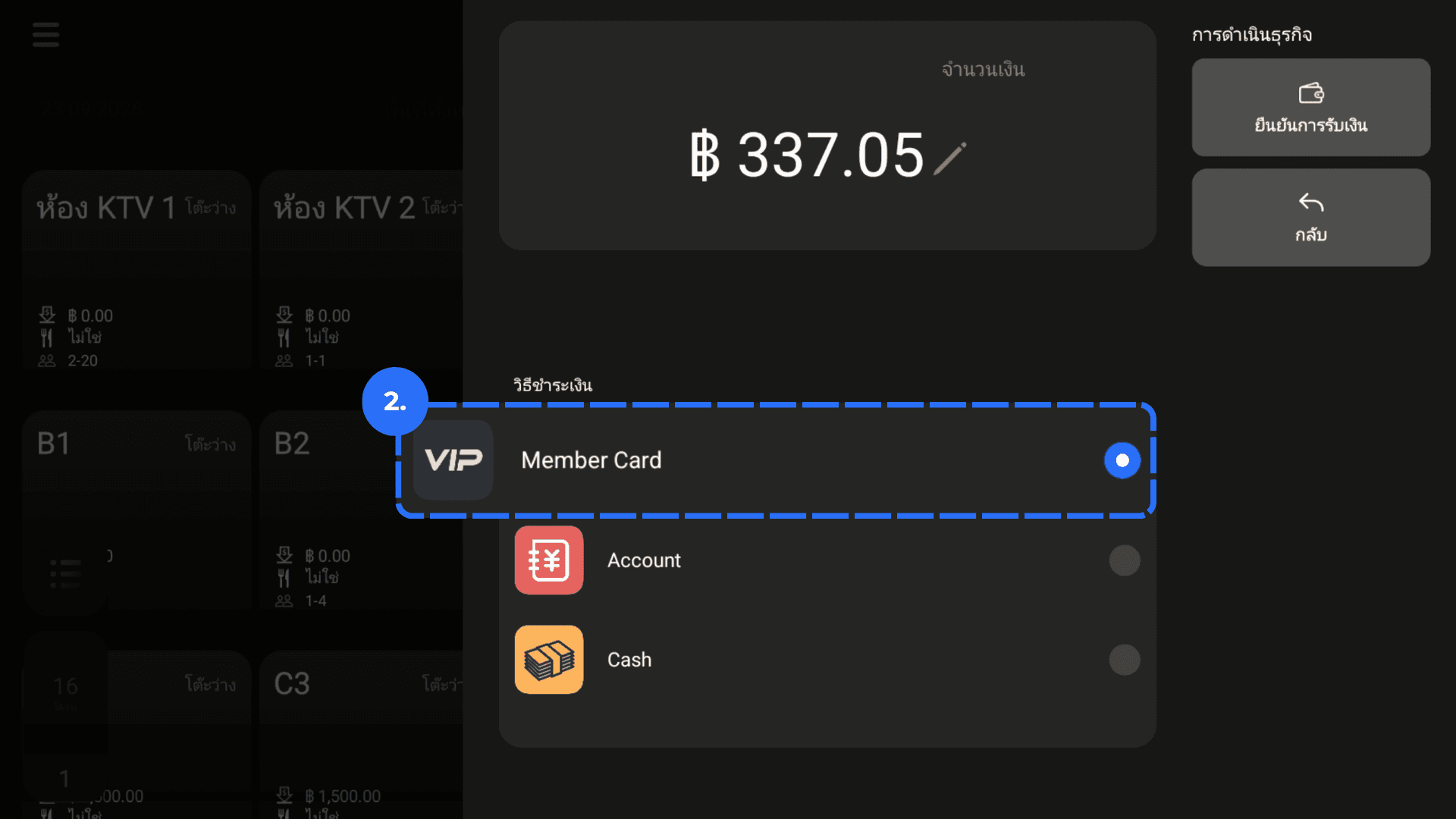
2. Select Membership Card as the payment method.
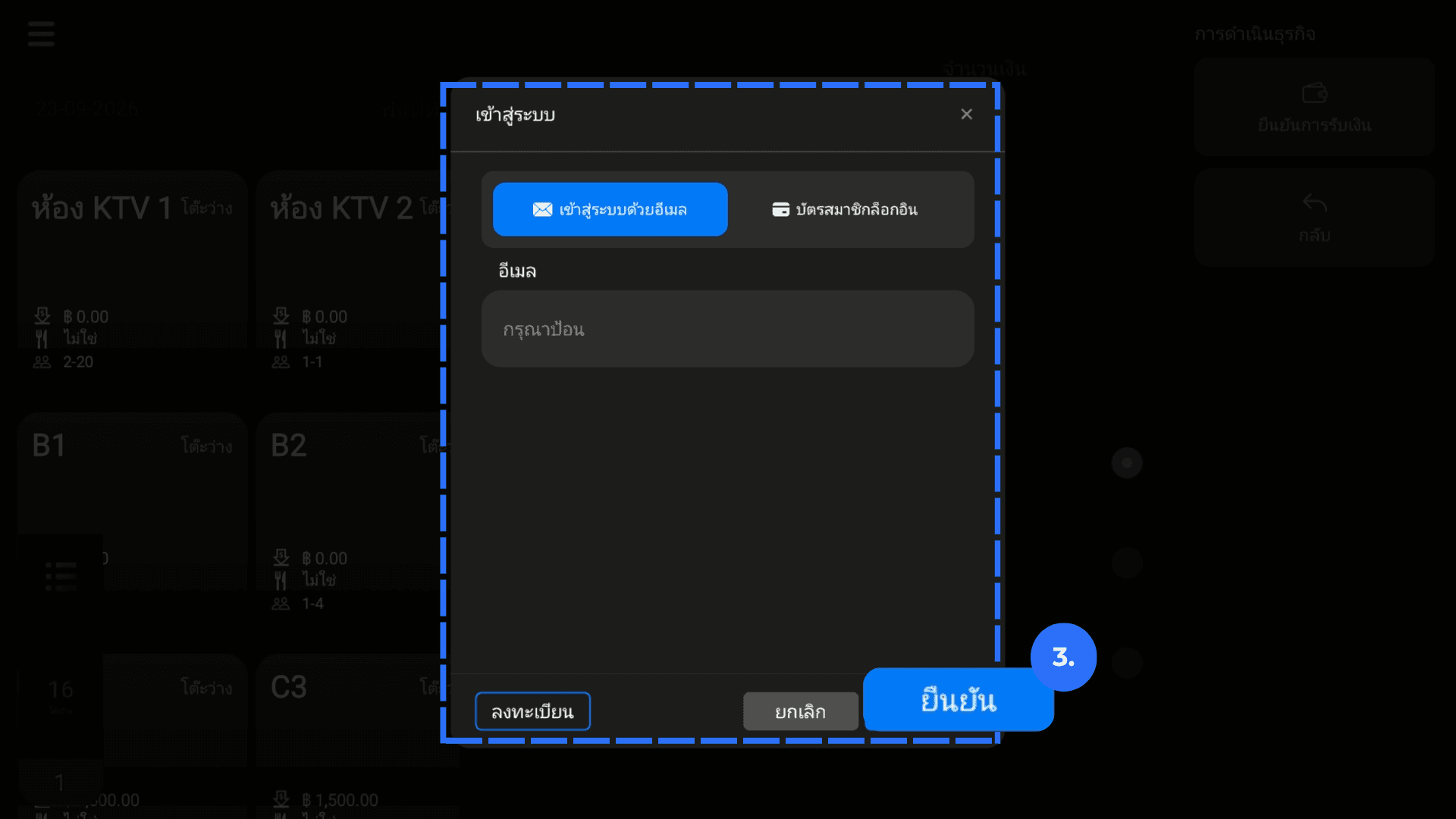
3. Enter the membership registered email address or phone number. Click Login.
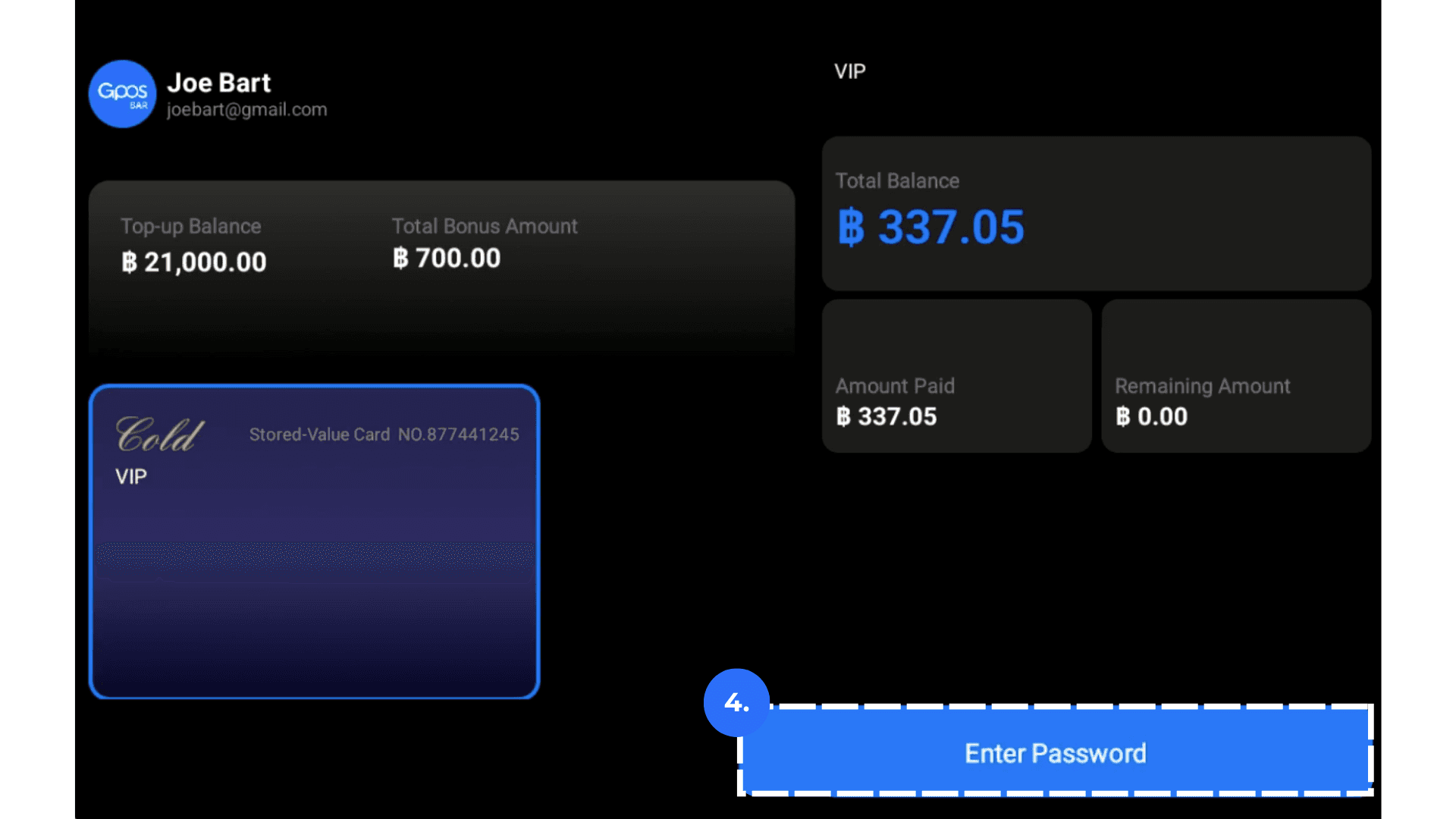
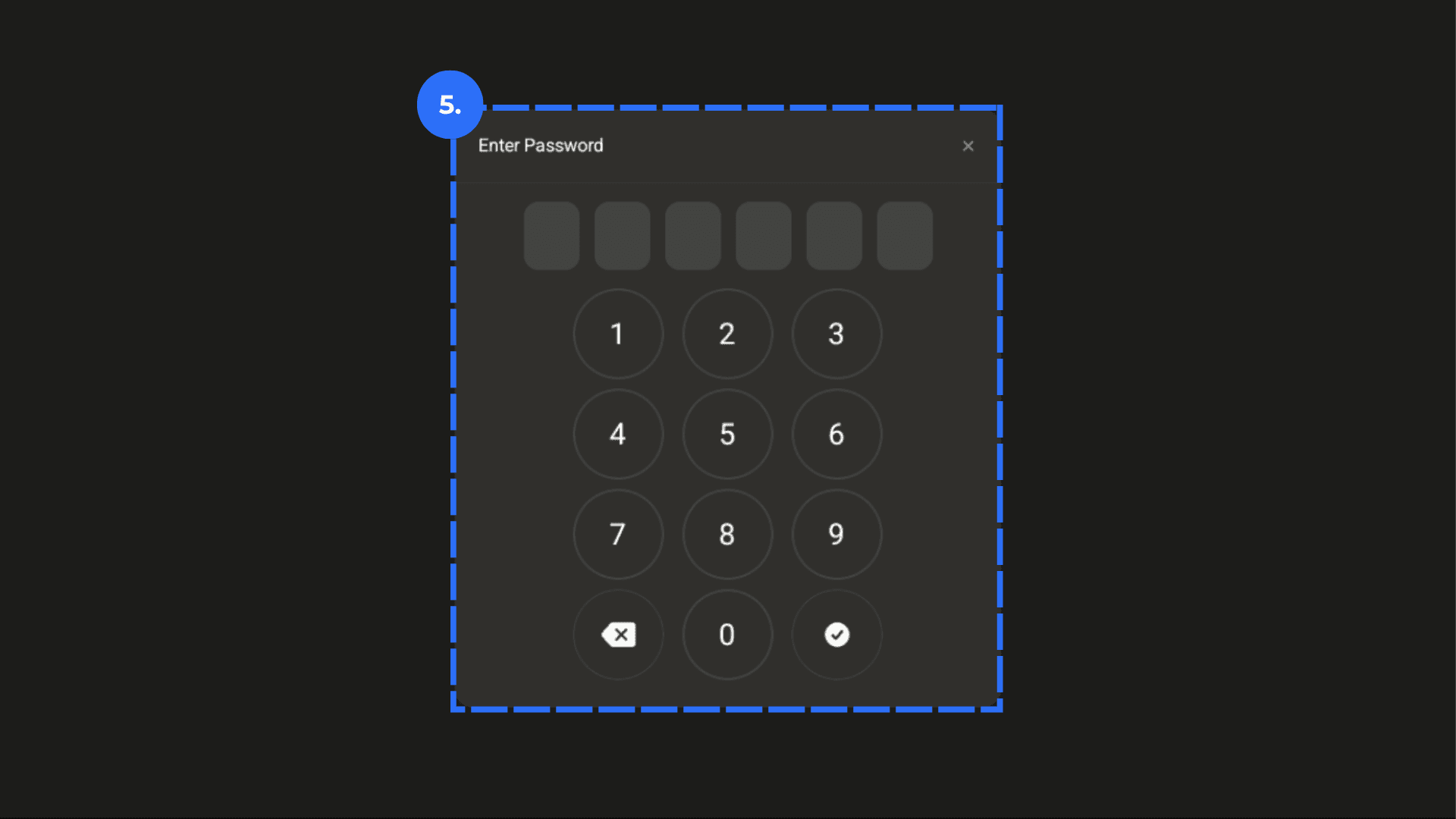
4. Ask the customer to enter their payment password, then confirm the payment.